When replacing an operator on Andersen® 400 Series casement or awning windows manufactured from 1995 to 1998, you need to order both the current operator and an adapter plate. The adapter plate is not included with the operator and must be ordered separately. It is intended for use with both left-handed and right-handed split-arm and straight-arm operator replacements.
Install Adapter Plate for Operators on Andersen® 400 Series Casement or Awning Window (1995 to 1998)
This article provides you with resources for ordering and installing an operator adapter plate on a 400 Series casement or awning window manufactured from 1995 to 1998.
Let's Get Started
1. Order Parts
Before ordering, confirm you need the adapter by counting the grooves on the window frame that accept the operator mounting tabs, the downward-projecting tabs located on the underside of the operator. If the frame has one (1) or no grooves, you don't need the adapter plate.
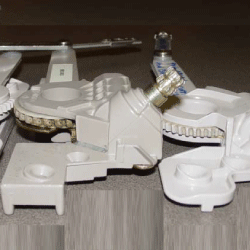
1995 to 1998 Operator with Two (2) Mounting Tabs (Left), Current 1999 to Present Operator with One (1) Mounting Tab (Right)
You can order an adapter plate  online from the Andersen Parts store, or you can Contact Andersen® Windows and Doors for ordering assistance.
2. Install Parts
- Before installing the current operator, snap the adapter plate onto the operator mechanism's base plate.
- When installing the current operator, the mounting holes for the operator base are in the same location as the vintage 1995 to 1998 operator. The center hole location is also common for all operators.
- Note: You may need to drill the holes left and right of the center hole.
- After you snap the adapter plate into place, the current operator is ready to be installed on casement or awning windows manufactured from 1995 to 1998.
©2026 Andersen Corporation. All rights reserved.